
Mr Vegas Casino Login
Log in with your email and password and get back to your games in under two minutes.
Top Mr Vegas Casino Games






Game Library







Accessing your Mr Vegas Casino account is quick when you follow the process. You log in with your e-mail and password, and sometimes confirm via e-mail, as two-factor authentication is not a standard feature. Should you face any barriers, the solutions ahead address password issues, account locks, verification, and how to get help.
How to Log In: Step-by-Step
Your login requires the e-mail and password you signed up with. These credentials are valid for both the website and the iOS app.
Go to the Mr Vegas Casino website or launch the iOS app.
Select the Log In button.
Type in your registered e-mail address and your password.
If prompted by the casino, verify your identity through the e-mail confirmation.
The system does not use an authenticator app or SMS codes. Should the confirmation e-mail not show up, look in your mailbox's spam and promotions folders, make sure the e-mail address you entered is exactly the one linked to your account, and use the login screen to send yourself a fresh confirmation e-mail. If it is still missing, contact support via Live Chat and ask them to verify your registered address.
Login Problems and Fixes
A few common reasons explain most login failures. Identify your issue from the list below and apply the solution.
| Problem | Likely Cause | Quick Fix |
|---|---|---|
| Wrong password message | Typo, caps lock or an old password | Retype carefully, then reset the password |
| Confirmation e-mail missing | Spam filter or wrong address | Check spam, request a new e-mail, then contact Live Chat |
| Account locked | Security hold or self-exclusion | Contact support through Live Chat |
| KYC pending | Identity checks not completed | Send your passport or driving licence |
| Login blocked while connected | VPN or proxy active | Switch the VPN off and reload the page |
| Page loads but login fails | Stored cookies or cache | Clear cookies and cache, then try again |
| Login page looks unfamiliar | Link from an unofficial site | Type the address yourself or use the app |
Here's how to remove cookies and cache from a desktop browser:
- Go to your browser's settings and locate the privacy or history section.
- Choose to delete cookies and cached data for the casino website.
- Confirm the removal and exit all your casino browser tabs.
- Visit the site again and attempt to log in once more.
How to Reset Your Password
You can handle this yourself first. Only reach out to support if the password reset e-mail does not come through.
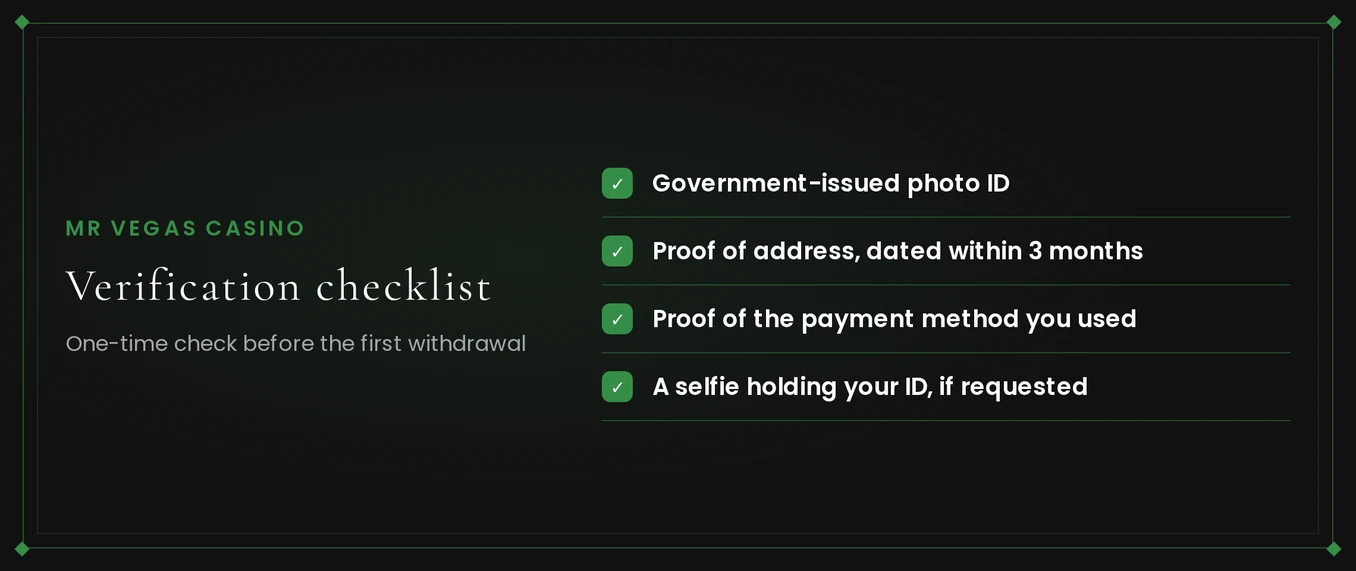
- Click the forgotten password link on the login page.
- Type in the email address linked to your account.
- Check your inbox for the reset email and click its link.
- Create a fresh password and use it to log in.
Choose a unique password not used elsewhere. Avoid personal details like your name or birthday. If the reset email is missing, review the spam folder and address checks mentioned earlier. Live Chat agents can tell you which email is on file.
Account Locked or Suspended
A locked account remains locked until the issue is resolved. Common causes are:
- Pending identity verification
- An ongoing self-exclusion period
To unlock an account:
- Start a Live Chat session.
- The support agent finds out why your account is locked.
- You provide any required information, like ID copies.
- Access is reinstated once the review concludes.
An active self-exclusion keeps your account locked until the chosen period ends; you can set it in your account settings or ask support. For help with gambling harm, call the free GamCare National Gambling Helpline at 0808 8020 133. Online support is at gamcare.org.uk.
KYC Verification
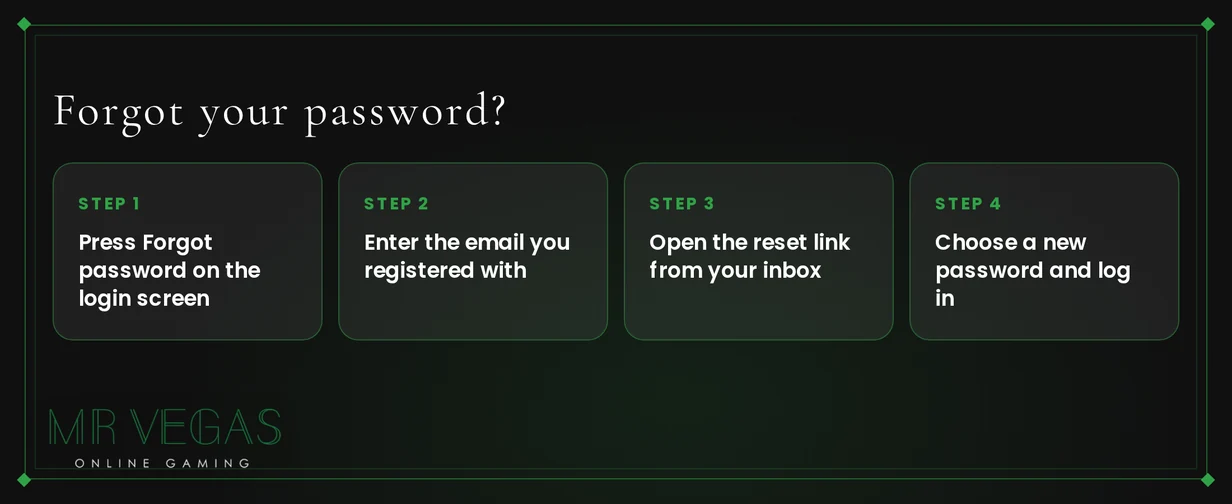
Mr Vegas Casino verifies your age and identity at registration using electronic checks. If the automated check does not pass, you must send a passport or driving licence. The account remains under review until the document is approved.
To clear a pending verification:
- Upload a clear photo or scan of your passport or driving licence to support.
- Support examines it and modifies your account status.
- Log back in after support confirms verification is done.
Ensure the name and address on your document exactly match your registration. Any mismatch will delay the review.
VPN and Proxy Connections
A VPN or proxy running in the background can interfere with logging in. If you have trouble accessing your account, try these steps:
| Situation | What You Do |
|---|---|
| Login fails with a VPN on | Switch the VPN off |
| Mobile data and Wi-Fi both fail | Disable any VPN app on the phone |
- Disconnect any VPN or proxy on all your devices.
- Close then reopen your browser or app.
- Log in again using your e-mail and password.
- If you still cannot log in, contact Live Chat.
Logging In via Mobile App
Mr Vegas Casino offers an iOS app only. Use the same e-mail and password as on the website.
Android players should use the fully optimised mobile site. Over 80% of games, including all live dealer titles, work in the mobile browser.
- Download the app from the App Store, or visit the mobile site.
- Tap Log In.
- Enter your e-mail and password each time; fingerprint or face login is not available.
- Complete any e-mail confirmation request.
Contact Support
Support can unlock accounts, verify your e-mail, and review documents. Live Chat is fastest for a locked account.
| Channel | Details | Availability |
|---|---|---|
| Live Chat | Open from the website or app | 24/7 |
| Callback request | Submit a request and support calls you | On request |
| [email protected] | Any time (reply by e-mail) |
Support is available in English, Portuguese, German, Finnish, Swedish and Danish. Include your registered e-mail and a brief error description. Never send your password.
FAQ
You must be at least 18 years old to play. Only gamble with money you can afford to lose. Get help if gambling is no longer enjoyable.